Permissions
Cotiza CPQ includes two permission sets that control access to CPQ functionality and configuration data.
Permission sets
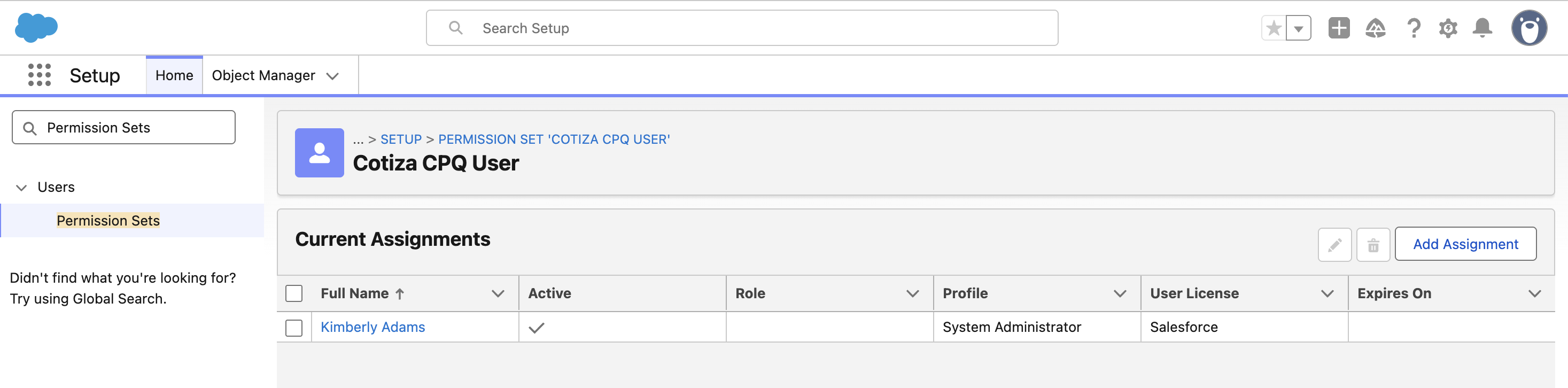
Cotiza CPQ User
Everything a standard Cotiza CPQ user needs to quote, submit for approval, generate proposals, and more. Includes:
- Access to the Cotiza CPQ App
- Read/write access to all Cotiza CPQ transaction objects and fields
- Read access to all Cotiza CPQ admin objects and fields
- Access to all necessary UI and components
Assign this permission set to sales reps and other users who create and manage quotes.
Cotiza CPQ Admin
Access to control all of Cotiza CPQ. Includes everything granted by the Cotiza CPQ User permission set, plus:
- Write access to all Cotiza CPQ admin objects and fields
Assign this permission set to users who configure playbooks, pricing, approvals, and other CPQ settings.
Take time to consider which users should be assigned which permission set. After a user is assigned the Cotiza CPQ Admin permission set, they can begin customizing the configuration to suit your business needs.
Required Salesforce permissions
In addition to Cotiza permission sets, users may need standard Salesforce permissions depending on your org configuration:
- API Enabled — required for Lightning component functionality
- Run Reports — recommended for approval and quote reporting
- Create and edit access on Quote and related standard objects
- Access to Product2, Pricebook2, and PricebookEntry as needed for your quoting workflow
Permissions to modify standard objects such as Pricebook2, PricebookEntry, and Product2 must be handled separately by your Salesforce admins.
Assignment steps
- Navigate to Setup → Permission Sets.
- Select Cotiza CPQ User or Cotiza CPQ Admin.
- Click Manage Assignments → Add Assignments.
- Select the appropriate users and confirm.