Rules Cookbook
Playbook Rules automate Quote configuration through ordered Rule Actions. This guide catalogs action types and common patterns.
Rule structure
Playbook Rule
  └── Rule Action(s) [Execution Order]
        └── Calculation Item(s) [Execution Order]
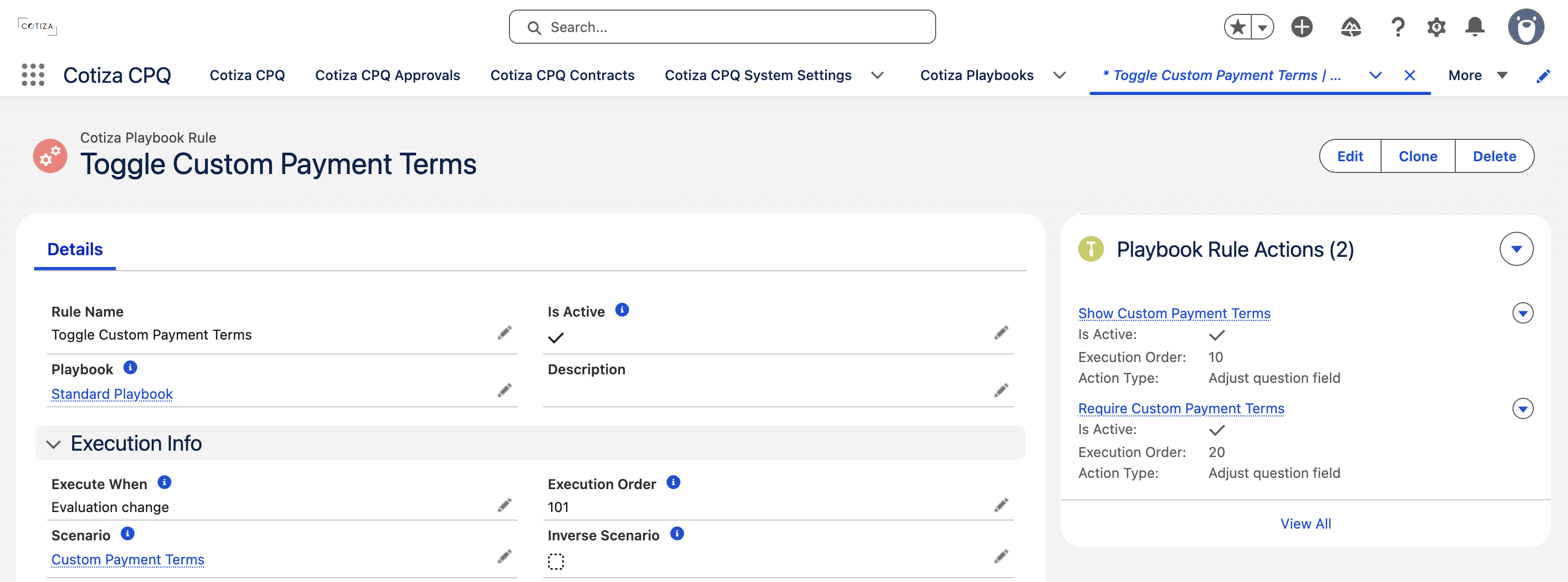
Each Playbook Rule links to a Scenario (except when Execute When is Always) and contains one or more Rule Actions.
See Rule Evaluation for Execute When options and ordering guidance.
Action types
| Action Type | Effect |
|---|---|
| Adjust question field | Change visibility, read-only state, or value on a Playbook Question |
| Adjust question group field | Change visibility or state on a Question Group |
| Add product | Add a product (or all products) to the Quote |
| Adjust product field | Modify a field on line items added by a prior Add product action |
| Adjust product field editability | Lock or unlock editable fields on line items |
| Remove product | Remove products from the Quote |
| Adjust system value | Modify built-in CPQ system values |
Calculation items
Calculation Items supply values to actions that stamp or calculate answers. Sources include:
- Playbook Question answers
- Product line item fields (specific product or all products)
- Static values (text, decimal, currency, etc.)
- Quote term and system values
- Formula expressions with comparison operators and ternary logic (when Calculation Source is Formula)
Calculation Type on the Rule Action defines the math operation (Add, Subtract, Multiply, Divide, etc.) with optional Numeric Math Operator (Round, Floor, Ceiling).
Multiplicity behavior
When an action applies to multiple line items or repeated matches, Multiplicity Behavior controls whether the action runs once or per match.
Product addition behaviors
| Field | Purpose |
|---|---|
| Manual Additions Behavior | How manually added products interact with rule-added products |
| Entitlement Additions Behavior | How contract entitlement-sourced lines interact with rule additions |
| All Products | Apply action across all matching products |
Per-action scenarios
Rule Actions can link their own Playbook Scenario (with optional Inverse Scenario) for finer control than the parent Rule's Scenario.
Common recipes
Auto-add a product bundle
- Rule with Scenario: customer type = "Enterprise"
- Action: Add product → select bundle product
- Follow-on Actions: Adjust product field for quantity or discount
Stamp ARR from product totals
See the worked example in Rule Evaluation.
Hide questions until relevant
- Default Question to Is Hidden = true
- Rule with Scenario: trigger answer selected
- Action: Adjust question field → set visible
Remove products when scenario no longer met
Use Execute When = Evaluation change on the Rule. When the Scenario becomes false, CPQ attempts to undo prior rule changes.
Preventing recalculation loops
Set Prevent Post Action Recalculation on an action when subsequent rule passes should not re-trigger calculations from that action.