View Sections and Proposals
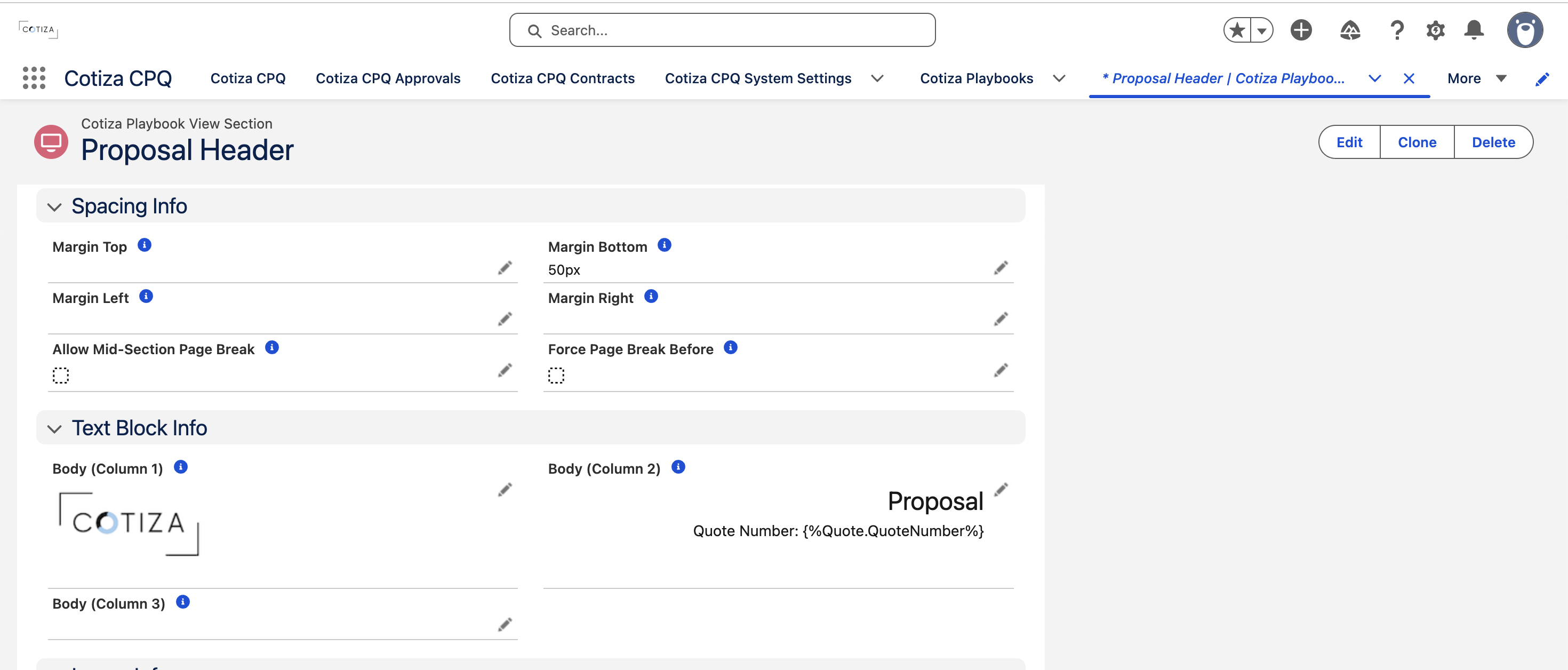
Playbook View Sections define the layout and content of proposal PDFs and approval emails. This guide covers section types, piped text, and proposal considerations.
View Section basics
Each Playbook View Section belongs to a Playbook and renders as one section in a document.
View Source (formula) determines destination:
- Proposal — included in Quote Proposal PDFs
- Approval — included in approval notification emails (when linked to a Playbook Approval or marked as base email section)
Sections can be gated by Playbook Scenario (with optional Inverse Scenario).
Section types
| Section Type | Purpose |
|---|---|
| Text (1–3 columns) | Rich text blocks with piped values |
| Image (1 column) | Standalone image |
| Image and Text (2 columns) | Combined layout variants |
| Record Table | SOQL-driven data table |
| Answer Table (1–2 columns) | Playbook answer display |
| User Input (1–3 columns) | Blank input areas for customer completion |
| Visualforce (Custom) | Custom Apex/VF component via Proposal_Custom_VF_Interface |
Configure display order, margins, font sizes, and colors using the CSS fields on each section.
Piped text syntax
Insert dynamic values into text fields using these tokens:
Question answers
{%QuestionVariableName%}
Use the Variable Name from the Playbook Question record. Works in:
- View Section text blocks
- Playbook Proposal Header/Footer
- Record Table SOQL queries
Approval email tokens
For approval email sections:
| Token | Value |
|---|---|
{%Approval.approver%} | Approver name |
{%Approval.submitter%} | Submitter name |
{%Approval.status%} | Approval status |
{%Approval.labels%} | Approval labels |
{%Approval.reasons%} | Approval reasons |
{%Approval.notes%} | Approval notes |
{%Approval.quote%} | Quote reference |
{%Approval.quoteApprovalNotes%} | Quote-level approval notes |
{%Approval.opportunity%} | Opportunity reference |
{%Approval.account%} | Account reference |
Record tables
Record Table Query accepts SOQL with bind variables:
| Variable | Description |
|---|---|
:quoteRecordId | Current Quote ID |
:opportunityRecordId | Parent Opportunity ID |
:accountRecordId | Account ID |
:adjustedContractRecordId | Contract being adjusted |
:currentUserId | Running user |
:submitterId | Approval submitter |
:approverId | Assigned approver |
Configure summary rows with Record Table Summary Fields and Record Table Summary Types (SUM, AVG).
Parent relationship fields and subqueries are not supported in Record Table queries.
Playbook-level proposal settings
On the Playbook:
- Proposal Header Type — Text or Image
- Proposal Header / Footer — supports piped question tokens
- Proposal Header Image Link Path — image URL when header type is Image
System Settings Proposal Quote Piped Fields adds additional Quote fields available for piping beyond question answers.
Draft vs. final proposals
Proposals receive draft watermarks when:
- The Quote is a Shell Quote (preview during edit)
- Outstanding approvals exist
Final proposals are generated from saved, non-shell Quotes with satisfied approvals.
Quote redlines (Power Users)
Proposal Power Users can create View Section Overrides on specific Quotes. Redline sections override base Playbook View Sections for one-off proposal customization.
See Power Users.
Word document proposals
Proposal Power Users can also generate Word-format proposals via the Proposal_PDF_Word Visualforce page.