Playbook Design
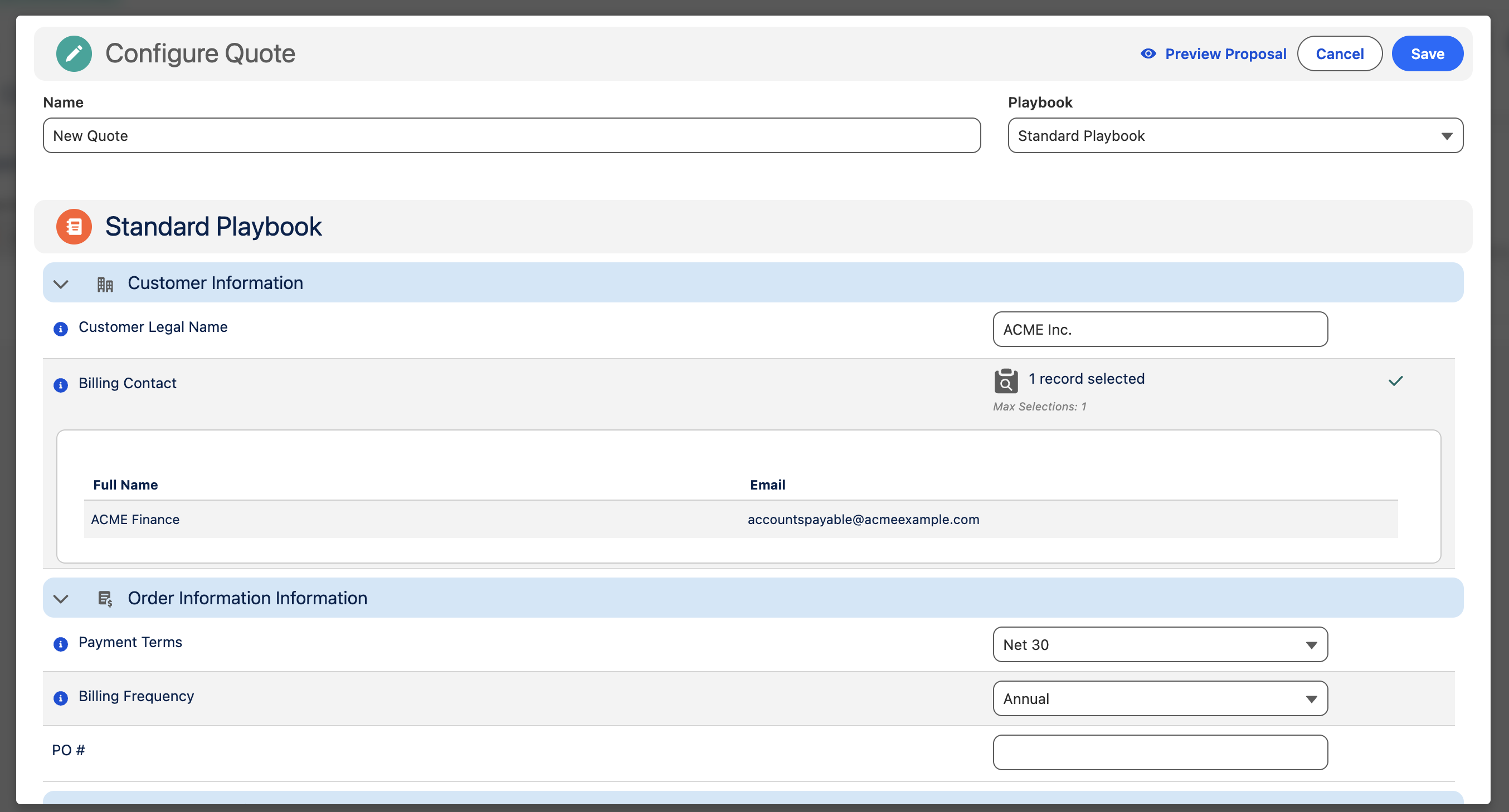
Playbooks are the central configuration object in Cotiza CPQ. This guide covers how to design Playbook Questions and Question Groups.
Recommended build order
- Create and activate the Playbook with a linked Price Book
- Create Question Groups
- Create Questions within each group
- Create Scenarios that reference questions
- Create Rules and Approvals
- Create View Sections for proposals and emails
See How Many Playbooks? before creating multiple playbooks.
Question groups
Question Groups are visual containers. Use them to:
- Organize related questions into collapsible sections
- Control display order via Display Order
- Apply group-level rule actions (visibility, read-only state)
Answer types
Each Playbook Question has an Answer Type that determines the input control shown to users:
| Answer Type | Use for |
|---|---|
| Boolean | Yes/no toggles |
| Currency | Monetary values |
| Date | Date pickers |
| Decimal / Integer | Numeric input with optional min/max |
| Picklist / Multi-Select Picklist | Constrained choices (semicolon-delimited values) |
| Record Lookup | Search and select Salesforce records via SOQL query |
| Text / Text Area | Free-form text |
Key question fields
| Field | Purpose |
|---|---|
| Variable Name | Unique token used in piped text, rules, and view sections |
| Display Label | Label shown to users in CPQ |
| Proposal Label | Alternate label used in proposal answer tables |
| Is Required | Must have a value before save |
| Is Required With Touch | Must be touched (interacted with) even if a default exists |
| Is Hidden | Hidden from UI but can still hold rule-stamped values |
| Is Read Only | Display-only for users |
| Default Value fields | Pre-populate answers (by answer type) |
| Default Field Value | Pull default from a Quote, Opportunity, or Contract field |
| Quote Save Field | Stamp answer value to a Quote field on save |
| Help Text | Inline guidance for users |
Record lookup questions
Record Lookup questions use a Query String (SOQL) to search records. Configure:
- Record Display Fields — columns shown in search results
- Record Page Size Default — pagination
- Maximum Record Selections — single or multi-select
- Record Selection Behavior — how selections are stored
Bind variables such as Opportunity and Account IDs can be referenced in query strings.
Contract and amendment behavior
| Field | Purpose |
|---|---|
| Amendments Take Latest Answer | During amendments, use the latest Contract Playbook Answer |
| Do Not Upgrade Answer | Prevent answer upgrades during contract adjustments |
| Do Not Create Answer | Skip creating a Playbook Answer record |
Visibility and validation
Use Playbook Rules with Adjust question field actions to dynamically show, hide, or lock questions based on Scenario evaluation.
Combine Minimum Value and Maximum Value on numeric questions for validation constraints.
Related reference
- Playbook Question — full field list
- Playbook Question Group
- Playbook