Generating Proposals
Cotiza CPQ turns Quote data into customer-ready proposal documents using Playbook View Sections.
Before generating
Confirm:
- The Quote is saved (not a preview shell, unless intentionally drafting)
- Required approvals are satisfied (or you accept draft watermarking)
- View Sections are configured on the Playbook
Generate a proposal
- Open the Opportunity in Cotiza CPQ.
- From the Quotes table, select Proposal on the target Quote.
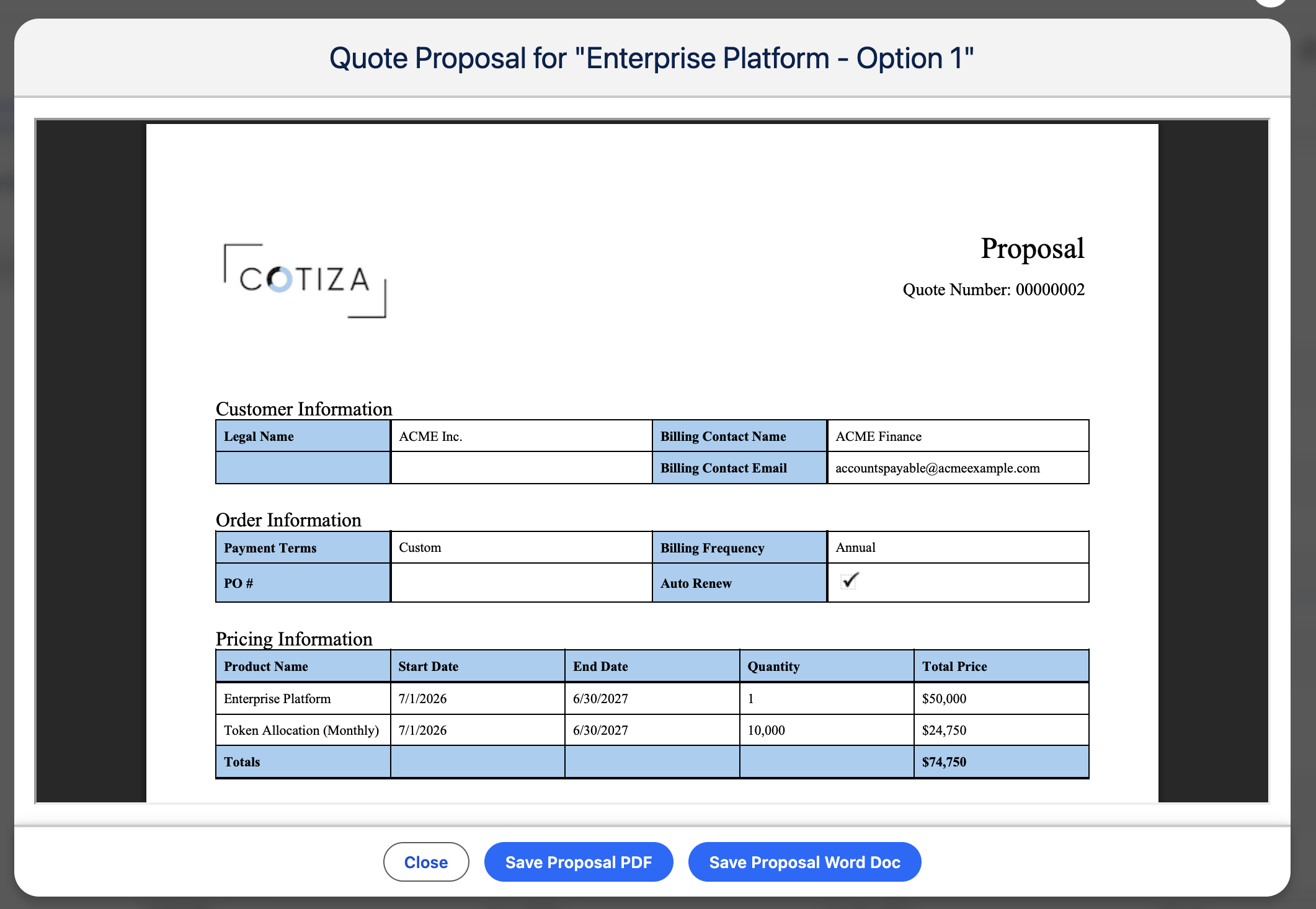
- Preview the document in the proposal viewer.
- Save to generate the PDF and create a Quote Proposal record.
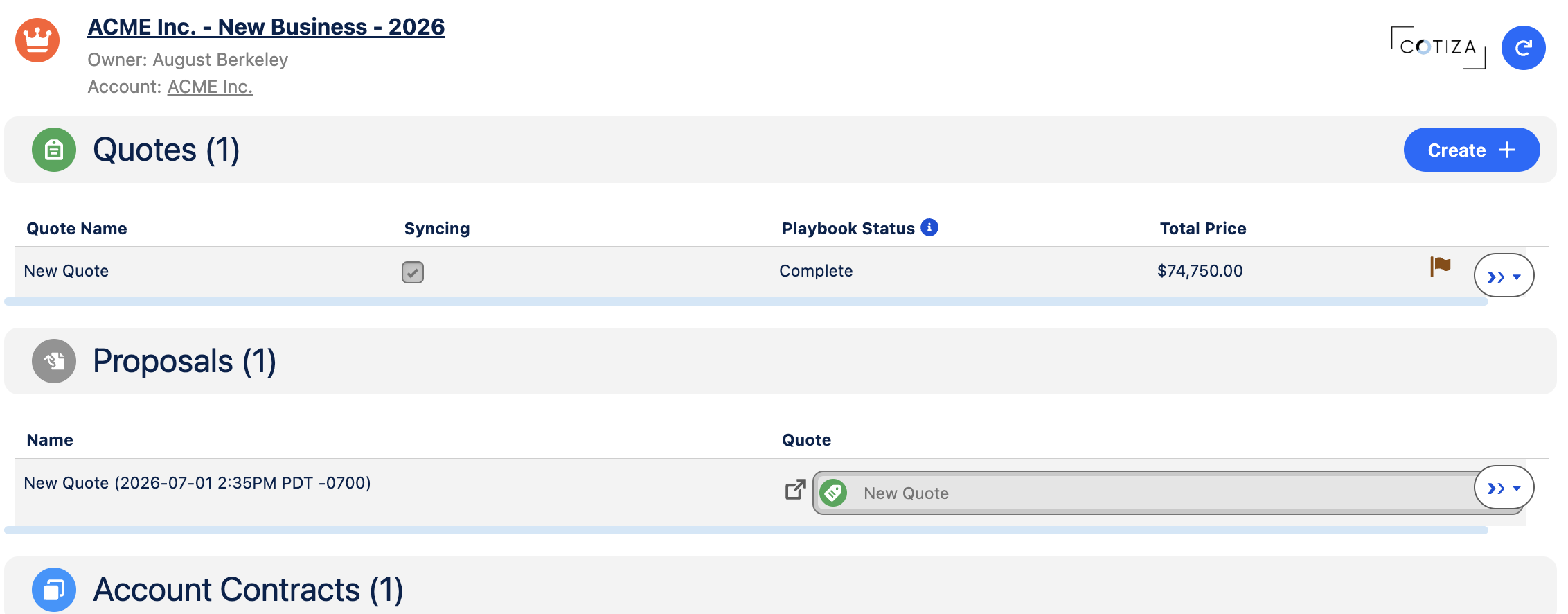
Proposals also appear in the Proposals table on the Opportunity CPQ view.
Draft vs. final documents
Draft watermarks appear when:
- The Quote is flagged as a Shell Quote (created during edit preview)
- Outstanding approvals have not been satisfied
Final proposals are generated from saved Quotes with approvals in good standing.
Document format
| Format | Who can generate |
|---|---|
| All Cotiza CPQ Users (when Proposal action is enabled) | |
| Word | Users with Proposals Power User access |
Proposal content
Proposal layout is built from Playbook View Sections:
- Text blocks with piped question answers
- Product and record tables
- Images and multi-column layouts
- Playbook header/footer settings
Piped text example
Question answers appear in text using the question's Variable Name:
{%QuestionVariableName%}
Additional Quote fields may be piped when listed in System Settings Proposal Quote Piped Fields.
Quote redlines (Power Users)
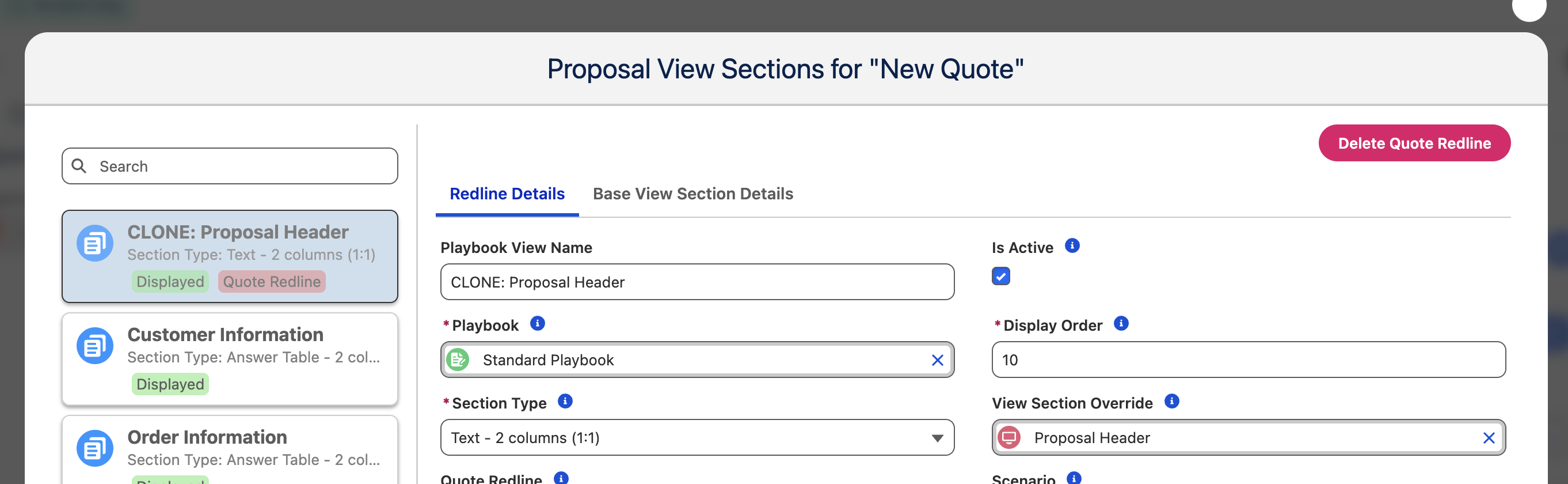
Proposal Power Users can override View Sections for a specific Quote without changing the Playbook. Redline sections replace base sections in the generated document.
- Open the Quote proposal UI.
- Access View Section Overrides.
- Create override sections linked to the Quote.
- Regenerate the proposal.
Download and share
Saved proposals create ContentVersion records with download links on the Quote Proposal record. Share links according to your org's content delivery and security policies.