Quote Line Items
Quote Line Items represent products on a Quote. They are created through manual addition, Playbook Rules, or contract entitlement adjustments.
Adding products manually
- Open the Quote in edit mode.
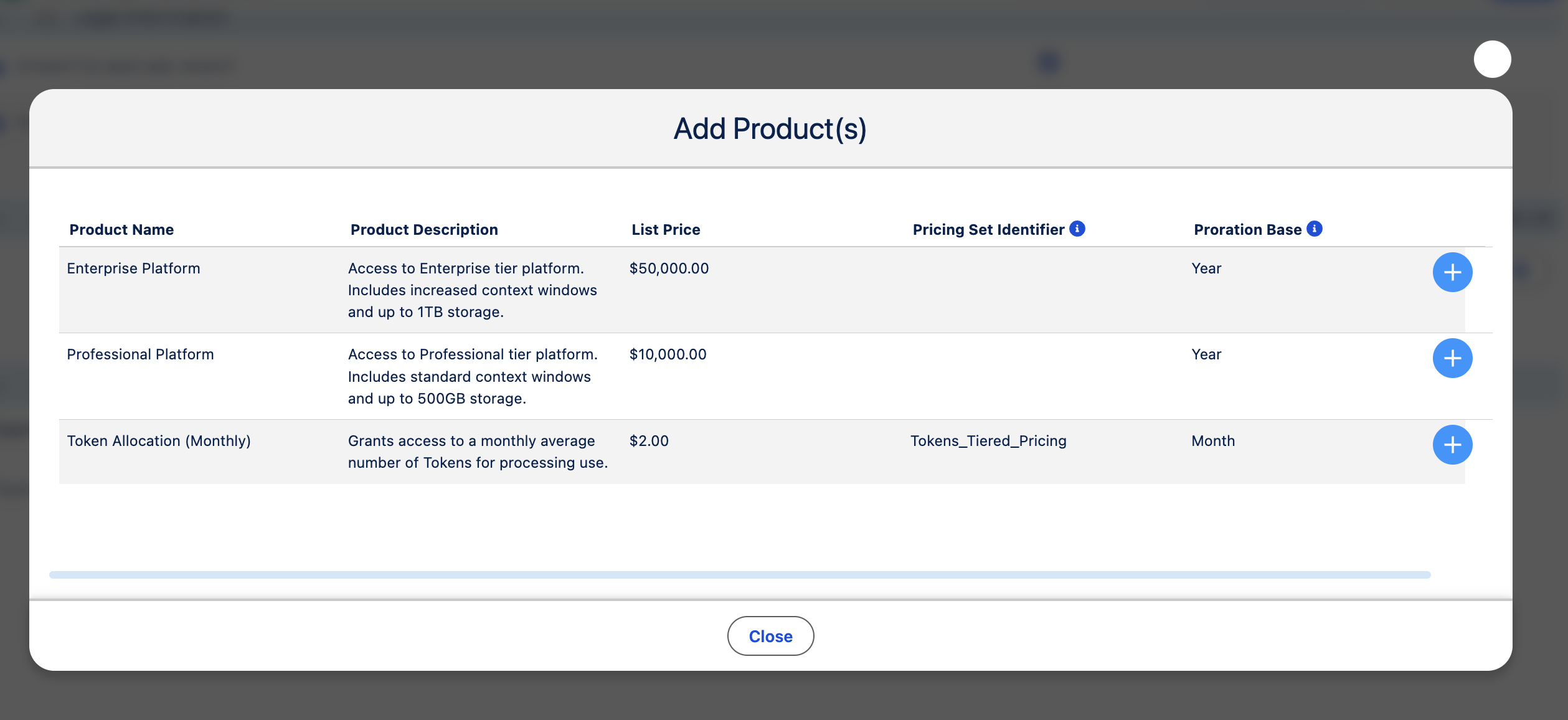
- Navigate to Add Products (or the product picker configured on your Playbook).
- Search and select products from the Playbook's price book.
- Set quantity and any editable line fields.
- Save the Quote.
The Add Products table columns, sort order, and pagination come from Playbook Add Products Columns and related fields.
Product summary
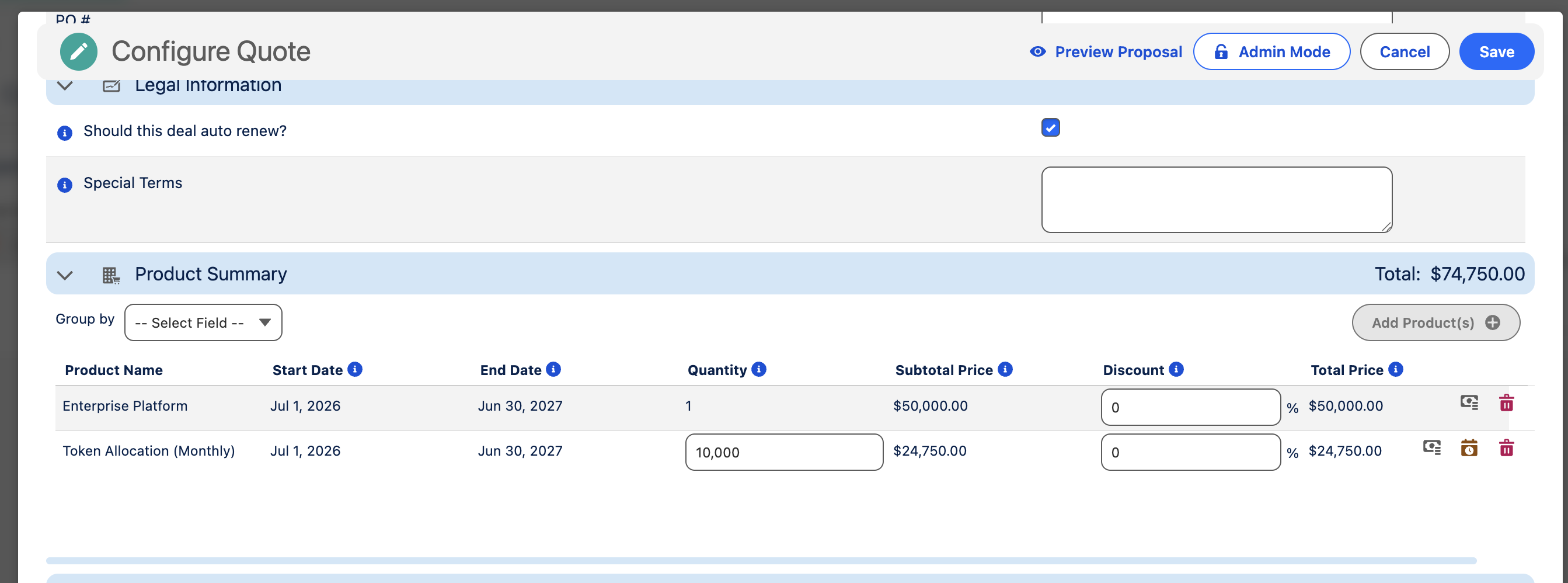
The Product Summary table shows all line items on the Quote. Configure columns, grouping, sort, and pagination via Playbook Product Summary fields.
Line item actions
Depending on configuration, you may:
- Edit quantity or unit price (when not locked by rules)
- Remove removable products
- Open the Date Split modal for products that support splitting
Rule-added products
Playbook Rules may add products automatically when Scenarios are met. Rule-added lines may have locked fields controlled by Adjust product field editability actions.
Manual Additions Behavior and Entitlement Additions Behavior on Rule Actions control how manual, rule-added, and entitlement-sourced lines interact.
Pricing
Line item prices may come from:
| Source | When used |
|---|---|
| PricebookEntry UnitPrice | Simple list price |
| Pricing Set / Threshold | Tiered or volume pricing via Pricing Set Identifier on PBE |
| Playbook Rules | Dynamic calculation or overrides |
See Products and Pricing (admin).
Date splits
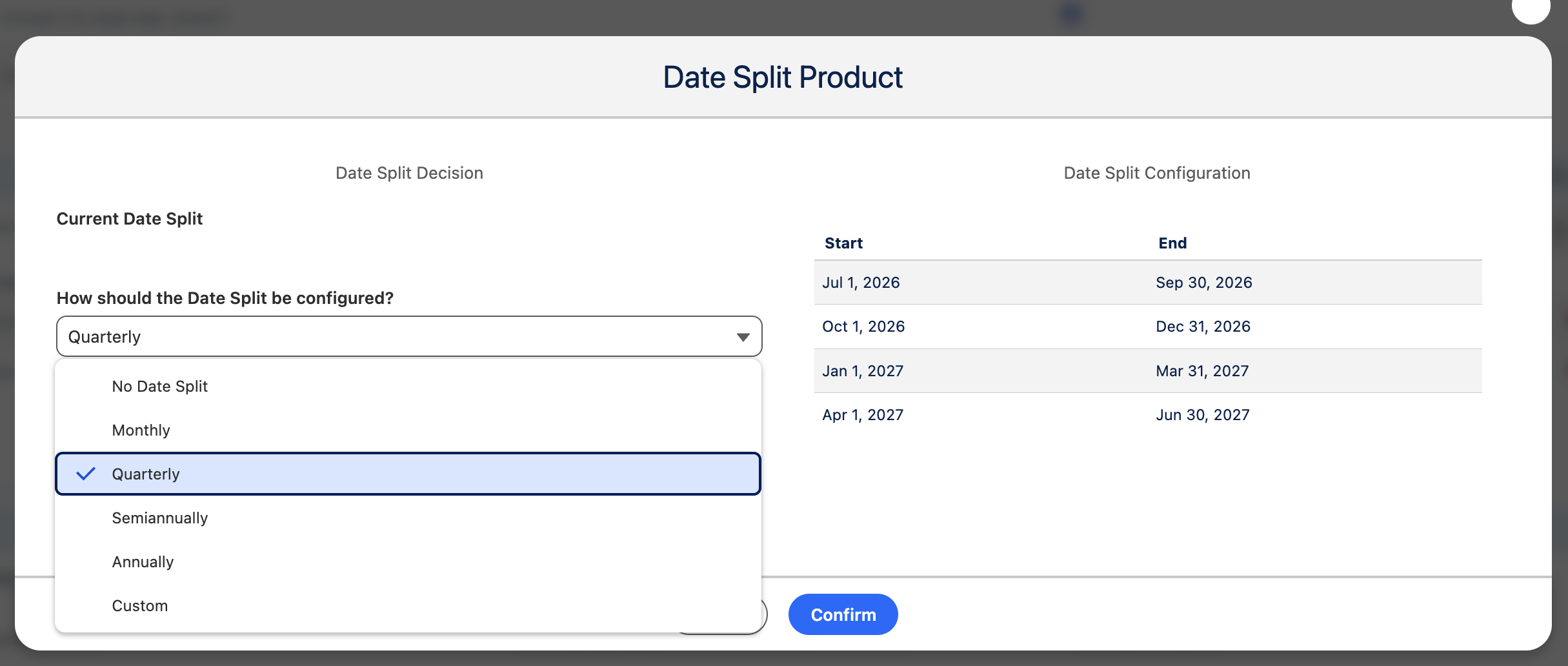
Products with Date Split Types configured on PricebookEntry can be split across date ranges:
- Monthly, Quarterly, Semiannually, Annually, or Custom
- Each split creates separate QuoteLineItem records with prorated dates
Open the Date Split modal from the product row to configure splits.
Contract entitlement lines
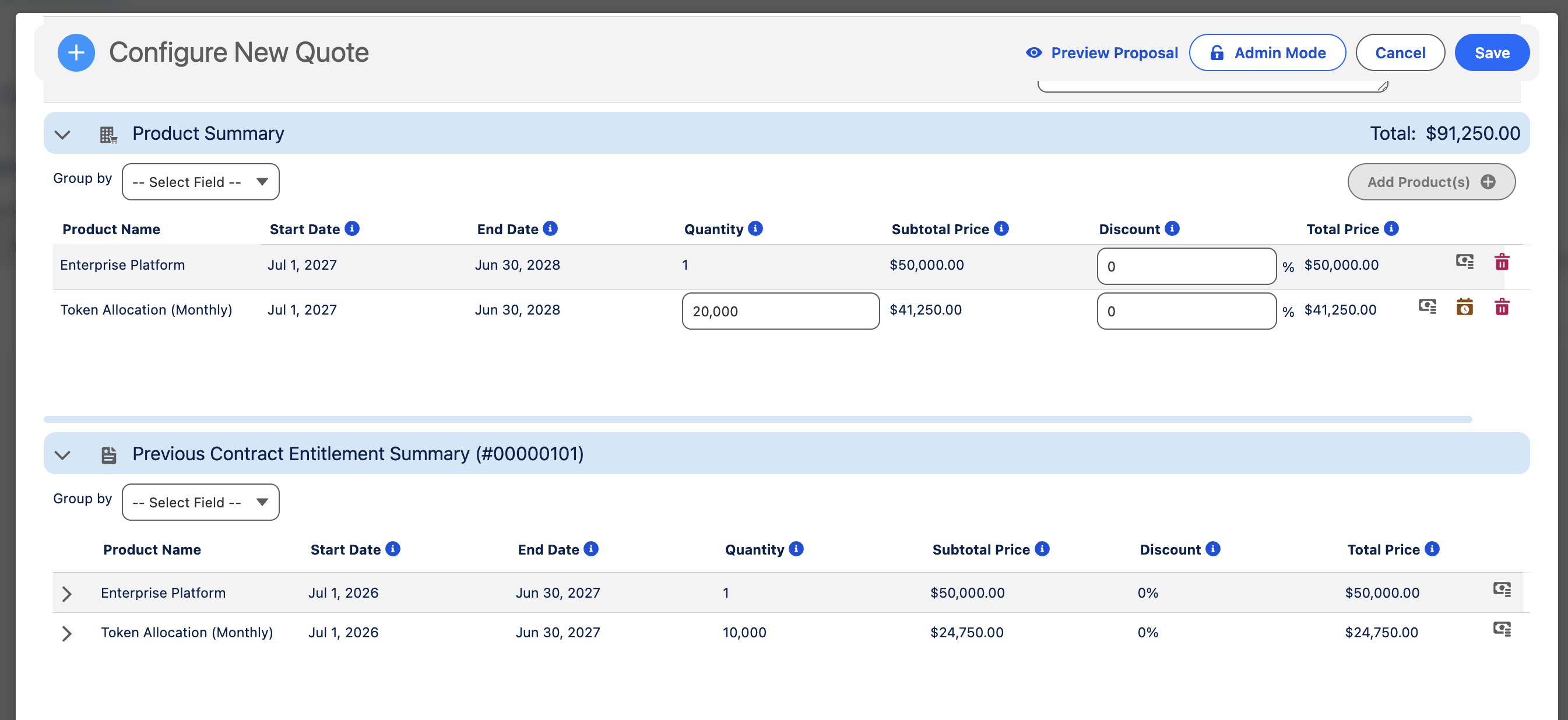
During contract amendments, the Entitlement Summary compares existing Contract Entitlements to proposed changes. Entitlement-sourced lines reflect products already on the customer's contract.
Sync to Opportunity Products
When the Quote is synced, line items map to Opportunity Products via OppLineItem Field Mapping custom metadata.
See Field Mappings.