Creating Quotes
This guide explains how sales users create and configure Quotes in Cotiza CPQ.
Prerequisites
- Cotiza CPQ User permission set assigned
- An Opportunity record for the deal
- At least one active Playbook configured by your admin
- Products available in the Playbook's price book
Open Cotiza CPQ
Option A — App tab
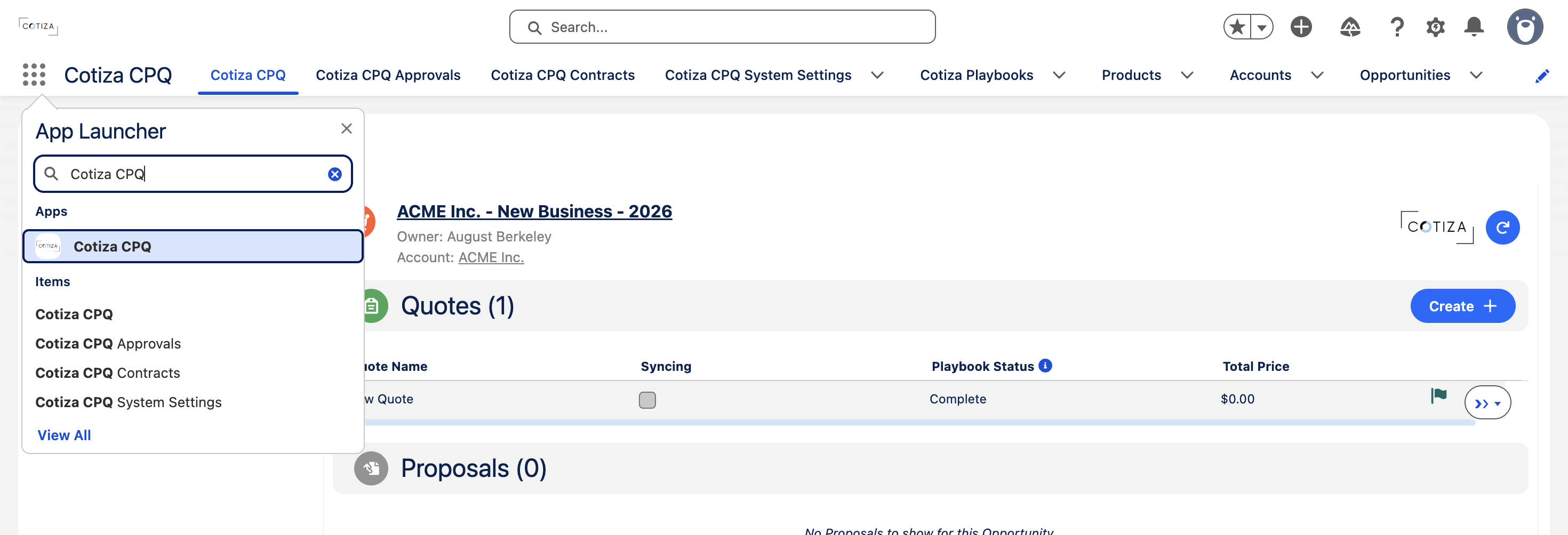
- Open the App Launcher.
- Search for Cotiza CPQ.
- Select an Opportunity (recently viewed or keyword search).
Option B — Record page
If your admin placed Cotiza CPQ Container on the Opportunity page, open the Opportunity directly—the CPQ UI loads with the Opportunity pre-selected.
See UI Components.
Create a Quote
- In the Quotes table, click Create +.
- Select a Playbook if prompted (or use the default from System Settings).
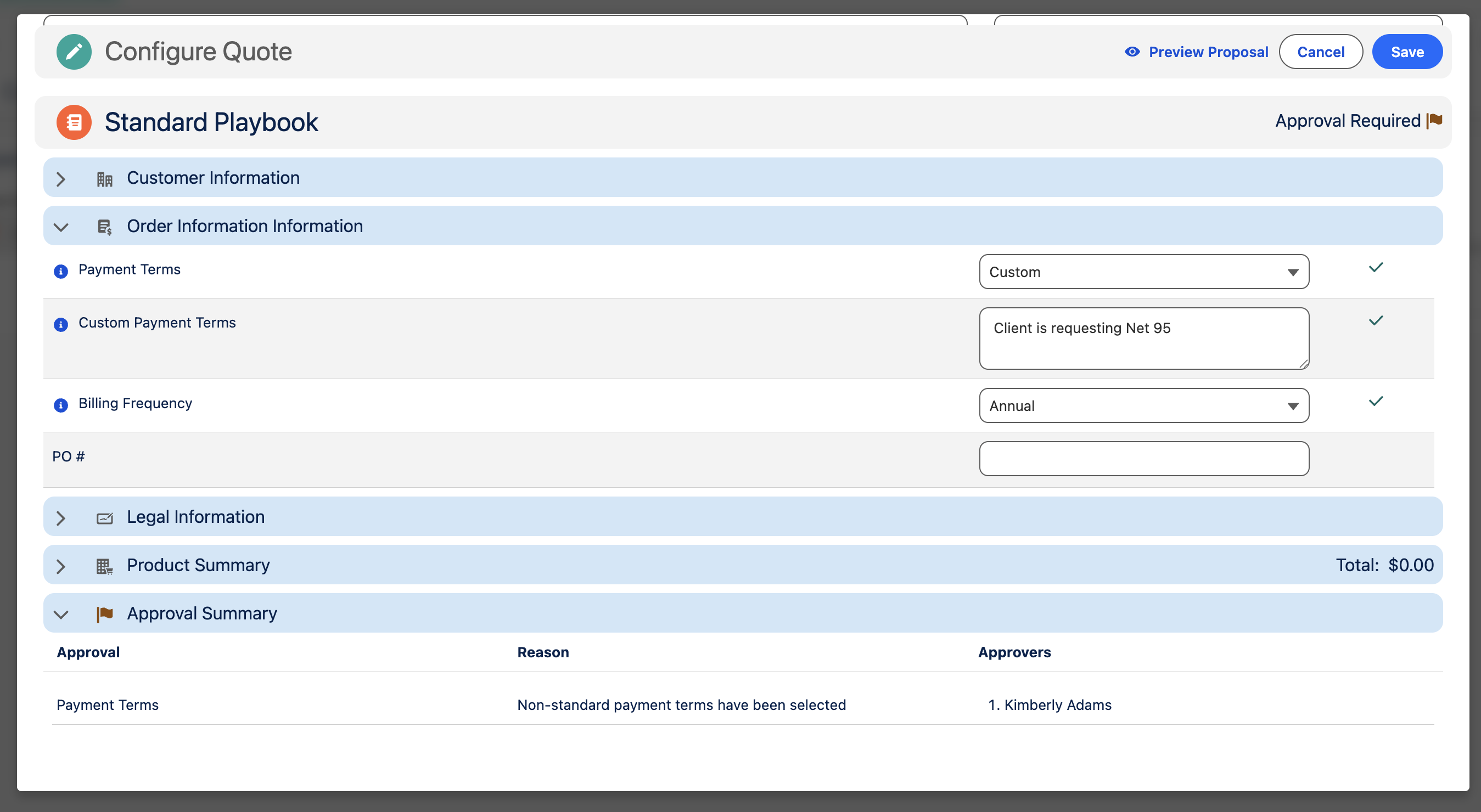
- Work through Question Groups—answer required prompts.
- Review products in the Product Summary (added manually or by rules).
- Check the Approval Summary for required approvals.
- Click Save.
During configuration
Playbook questions
Questions appear in groups defined by your admin. Behavior varies by configuration:
- Required questions must be answered before save
- Hidden questions may be populated automatically by rules
- Read-only questions display calculated values
- Record lookup questions let you search and select Salesforce records
See Playbook Design (admin reference).
Rules engine
As you answer questions and add products, Playbook Rules may automatically:
- Add or remove products
- Stamp answer values
- Show or hide additional questions
- Adjust pricing fields
Changes happen in real time after each interaction.
Term and dates
Quote term and start/end dates may be pre-populated from Playbook defaults. End date editability depends on Playbook configuration. End dates are always locked for Contract Amendments.
After saving
| Next step | Guide |
|---|---|
| Add or adjust products | Quote Line Items |
| Submit for approval | Submitting for Approval |
| Generate proposal | Generating Proposals |
| Sync to Opportunity | Managing Quotes |