Acting as an Approver
Approvers review and decide on submitted Quotes from the Cotiza CPQ Approvals tab or via approval email links.
Approvals Hub
Open the App Launcher and select Cotiza CPQ Approvals.
The Approvals Hub organizes pending and historical approvals by:
- Opportunity
- Quote
- Individual approval and step
Use filters to view:
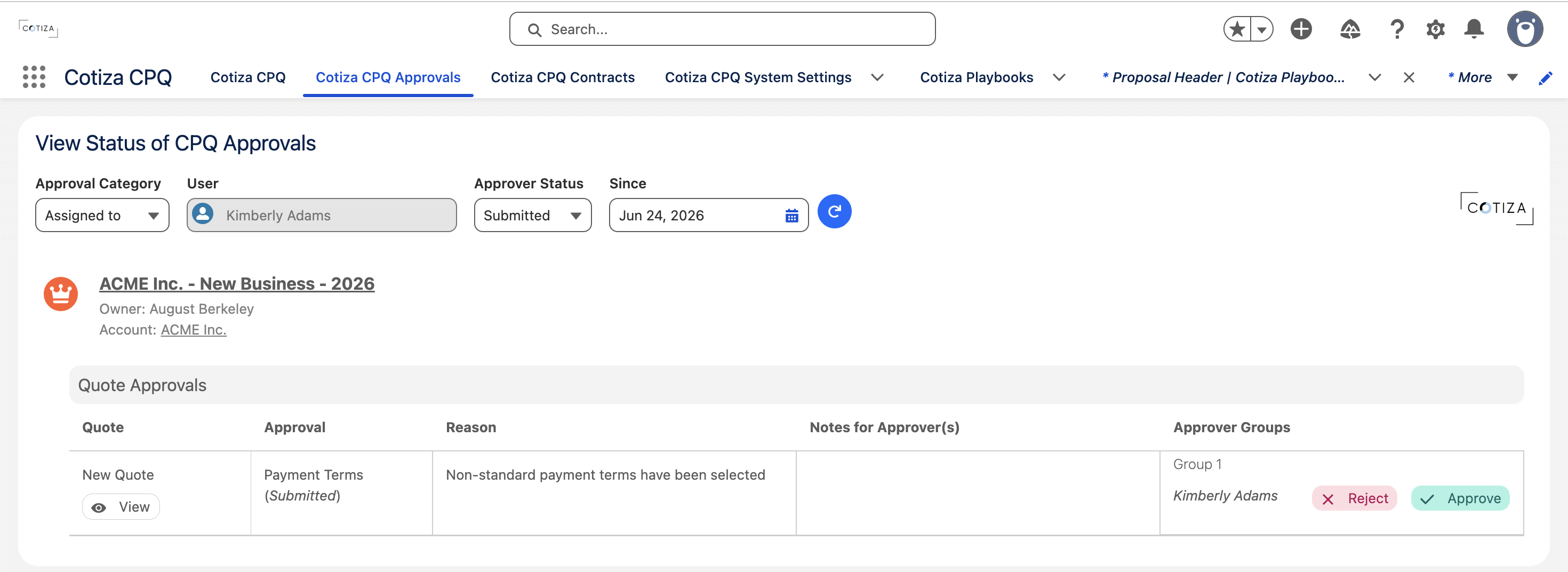
- Approvals assigned to you
- Quotes you submitted
- Submitted, approved, or rejected status
Reviewing a Quote
When acting on an approval, you can view the full Quote context including:
- Playbook answers
- Product line items
- Approval reason and notes from the submitter
- Related Opportunity and Account information
Approval email sections configured on the Playbook can also surface Quote details directly in notification emails.
Approve or reject
- Locate the pending approval in the Approvals Hub.
- Expand the Opportunity → Quote → Approval hierarchy.
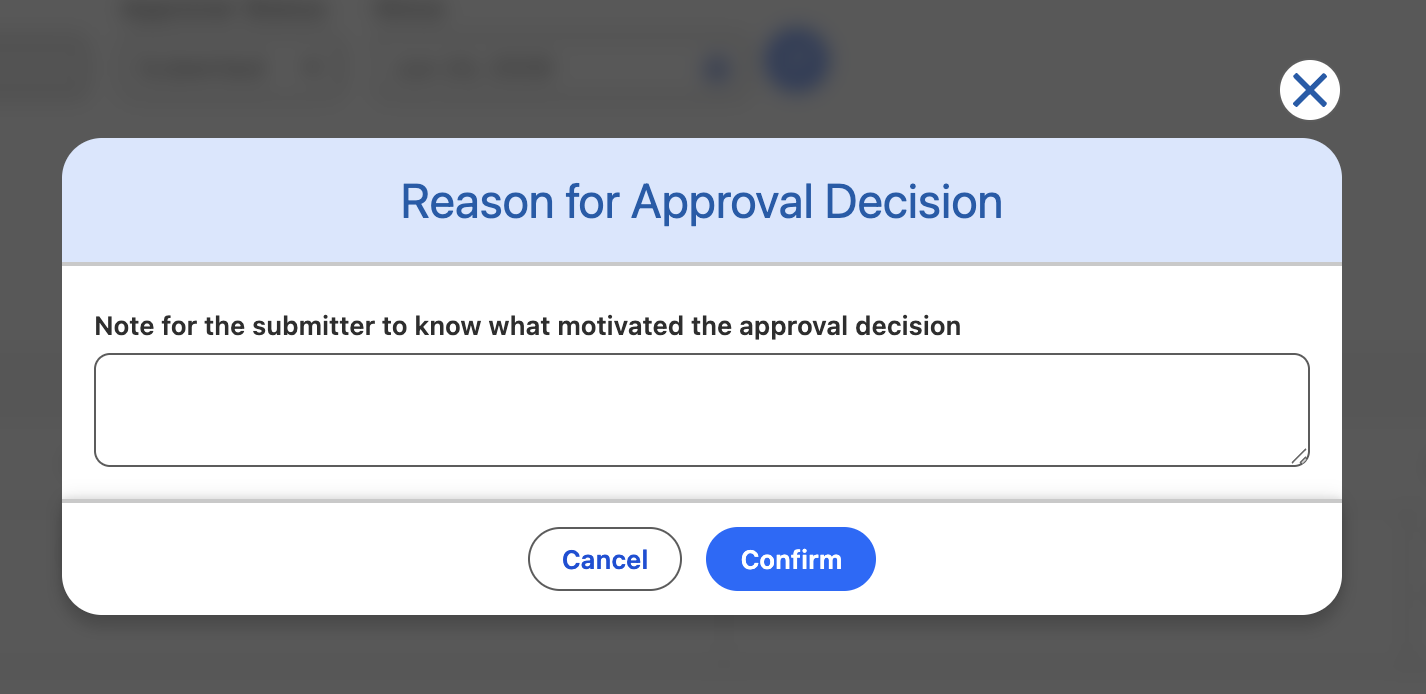
- Select Approve or Reject on your approver step.
- Enter a decision reason if prompted.
- Confirm your decision.
Individual vs. bulk approval
By default, when an approver acts on one approval step, the same decision applies to all pending approvals on that Quote where they are the assigned approver.
Playbook Approvals marked Require Individual Approval bypass this behavior—each approval must be explicitly approved.
Manager approvers
Approvers can be resolved dynamically from the Opportunity Owner's management chain (1st through 5th line manager). The resolved user is determined at Quote save time.
Power User approvers
Users with Approvals Power User access can view and act on any approval in the org, not only those assigned to them.
See Power Users.
Email notifications
When configured on Playbook Approval records, emails are sent for:
| Event | Recipient |
|---|---|
| Submitted | Approver(s) |
| Recalled | Approver(s) |
| Approved | Submitter |
| Rejected | Submitter |